


Bluetooth PH Neutralizer Backwashing Filter
SKU PW-SS-PH-NEUTRALIZER-BW
Specs at a glance
System features
Raises low pH
Uses mineral-based media to bring acidic, low-pH water toward a more balanced range.
Protects plumbing
More balanced water helps reduce the corrosive effects of acidic water on pipes and fixtures.
Less blue-green staining
Correcting pH addresses the acidic condition behind blue-green staining on copper plumbing.
Automatic backwashing
The valve backwashes the media bed on a set schedule to maintain performance and flow.
Bluetooth control
Monitor status and manage backwash scheduling from a compatible smartphone.
Whole-house treatment
Treats water at the point of entry, so protection reaches every tap in the home.
Overview
About this system
Automatically raise the pH of acidic water and help protect your home's plumbing. This whole-house system uses mineral-based neutralizing media to bring low-pH water toward a more balanced, less corrosive range.
The technology
How pH neutralization works
- Acidic water flows through the neutralizing media bed inside the tank.
- Calcite, a naturally occurring calcium carbonate, dissolves gradually as it reacts with the acidic water.
- The dissolving calcite adds alkalinity and calcium carbonate, raising the pH toward a less corrosive balance without overshooting.
- The valve backwashes periodically to keep the media bed conditioned, and the calcite is replenished as it is consumed over time.
The media
Choosing the right media
Calcite is used as the primary neutralizing media for typical acidic water. For more acidic water, a calcite and magnesium oxide blend may be the better choice. Because the right configuration depends on your water chemistry, a pH test is important before selecting media.
Very acidic water? Talk to us first
If your water has an extremely low pH, a standard calcite-based neutralizer may not be the right solution on its own. Contact us for water testing and a recommendation before ordering, and we will match the correct media configuration to your water.
Specifications
Engineering specs
| Specification | 10 GPM | 20 GPM |
|---|---|---|
| Peak Flow | 10 GPM | 20 GPM |
| Backwash Flow | 5 GPM | 11 GPM |
| Tank Size | 10" x 54" | 13" x 54" |
| Neutralizing Media | Included | Included |
| Media Quantity | 100 lbs | 150 lbs |
| Control | Bluetooth backwashing valve | Bluetooth backwashing valve |
| Installation | Point of entry (whole home) | Point of entry (whole home) |
In the box
What's included
- Media tank
- Bluetooth-enabled control valve
- Built-in bypass valve
- Neutralizing media (initial charge included)
Installation & maintenance
Straightforward to install, simple to own
Installation
The system installs on your main water line at the point of entry, ahead of the home's plumbing. Backwashing systems need a nearby drain connection. For the exact power, drain, and clearance requirements at your location, refer to the product's installation guidance or contact our team.
Maintenance
The valve backwashes on its own. Over time the neutralizing media is gradually consumed as it does its job, so the media bed is periodically replenished. How often depends on your pH, water chemistry, and usage.
Not sure which system you need?
Proper water testing is important before selecting media. Contact us and we will help determine the right configuration for your water.
Questions
Frequently asked questions
Does the system require electricity?
The control valve backwashes automatically and pairs over Bluetooth. Power, drain, and connection requirements vary by installation, so please refer to the product's installation guidance or contact our team to confirm what your setup needs.
Does the system come with neutralizing media?
Yes. The specified initial charge of neutralizing media is included (see the specs above).
How often does the system need to backwash?
Backwash frequency is programmed based on your system size and water conditions rather than a single universal schedule. We help set it appropriately for your water.
How long does the media last?
The neutralizing media is consumed gradually as it does its job, so how long it lasts depends on your pH, overall water chemistry, water usage, and system operation. The media is replenished as it is used up.
Does calcite increase hardness?
It can. Calcite adds calcium carbonate to the water as it neutralizes acidity, which can raise the calcium hardness of the treated water.
Will I need a water softener?
Some homes may benefit from a water softener after pH neutralization, depending on the resulting hardness and overall water chemistry. A water test helps determine whether softening is worthwhile for your home.
Can this system remove iron?
This is not primarily an iron-removal system. Correcting pH can affect how iron behaves in certain water conditions, but depending on your water analysis a dedicated iron-treatment system may still be needed. Share your water test with us and we will advise.
What if my pH is extremely low?
If your water has an extremely low pH, contact us before purchasing. We will evaluate your water chemistry and recommend the appropriate treatment approach, which may differ from a standard calcite neutralizer.
Complete your install
You may also need

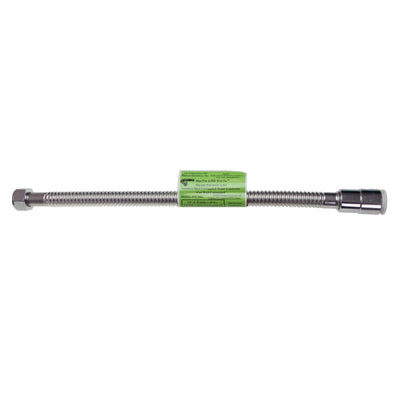


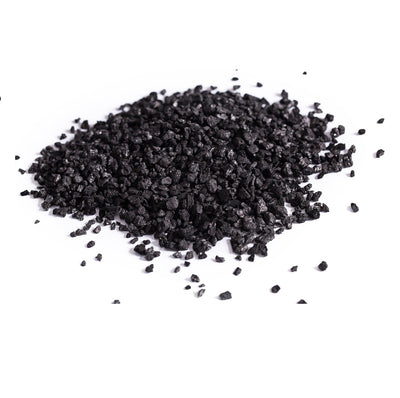
Not sure this is the right system?
Not sure which system fits? A quick water test shows what is in your water, and we will match the right 360 setup to your home.
Shop Water TestsBluetooth Control & Monitoring From Your Phone
Your filter is built to run on its own. When you want to check in, open the app on your phone and connect to the system over Bluetooth for a clear view of how it is performing, how much water your home is using, and when the next backwash cycle is due. The settings you may actually want are right there, and nothing else asks for your attention.
Current Flow
2.4
GPM
Gallons Treated
2,629
Since reset
Used Today
142
Gallons
Peak Flow Today
6.1
GPM
Water Usage, Gallons Per Day
Your whole system, on one screen
Connect from anywhere in the house and see exactly how your filter is working. No installer visit, no control panel, no guesswork.
-
See it at a glance
Current water flow, gallons treated, and today's usage together in one view.
-
It cleans itself when it needs to
The app shows when the next backwash is due, and your filter runs the cycle automatically to keep the media clean.
-
Set up once, then relax
Your installer programs the system at setup. The app is there for the few things you may ever want to change.
What you can do from your phone
Monitor your filter
See current water flow, gallons treated, and system status in one clear dashboard.
Backwashes on its own
The app shows when a backwash is due, and your filter can run the cycle automatically to keep the media clean.
View water usage
Daily gallons, peak flow, and usage history show how your household actually uses water.
Start a cycle anytime
Run a backwash now or at the next scheduled time, for the occasions when you would rather not wait.
Adjust basic settings
Sync the time and choose when the system runs its cycle, so it happens while nobody is using water.
System history
Total gallons treated, cycle history, and performance records stay available whenever you want them.
How it works
01
Connect
Open the app while you are near the system and select it from the list.
02
Monitor
Check your dashboard for water flow, gallons treated, daily usage, and the next backwash.
03
Manage
Adjust a basic setting or start a backwash cycle on the rare occasion you need to.
Simple to use. Easy to monitor.
Your filter is designed to operate automatically. The app simply gives you a convenient way to view your system and reach the basic controls from your phone. There is nothing to watch day to day and nothing to adjust once your system is set up.
Advanced settings are configured at installation for your specific system and are best left at their recommended values.
Your installer or water professional can keep their service details in the app, so you always know who to contact if you need assistance.
App features require a Bluetooth enabled system and a phone within Bluetooth range of the filter. Backwash cycles are scheduled by the system based on its programmed settings. Screen shown is an illustration.